Choosing a WordPress theme is a decision about how the website will do its job, how the team will publish, and who will maintain the result after launch.
A pre-built theme can be a sensible foundation. A custom theme can be the clearer choice when a site’s design system or content needs do not fit inherited assumptions. Neither is automatically more professional, faster, more accessible, better for search, or more effective; those outcomes depend on the implementation and its context.
This guide helps business owners, marketing teams, and creative teams compare a pre-built theme, child theme, starter theme, and custom implementation. It is a decision framework, not a universal budget or schedule promise. If estimating is the main question, start with the custom WordPress website cost guide.
The short answer
Start with the website’s job, then choose the least complicated foundation that can support it responsibly.
- Pre-built theme: Use it when its templates, editor, responsive behaviour, and visual language already fit the important requirements.
- Child theme: Use it when a parent is a good foundation and only focused changes are needed.
- Starter theme: Use it when you need a development foundation without letting a finished catalogue design dictate the structure.
- Custom theme: Consider it when content, recurring layouts, or interaction requirements would otherwise become exceptions.
- Middle path: Tailor only the part of the site that genuinely needs it.
The right choice is the one you can explain in terms of visitor and editor outcomes, not the one with the most impressive demo.
1. What these approaches actually mean
The terms overlap, but they describe different amounts of inherited assumption.
Pre-built theme
A pre-built theme is a finished design and publishing system with templates, styles, layout options, patterns or a builder, and settings for adapting it to different sites. It is not necessarily generic or poorly made. It may be a good fit when its templates and editor workflow match the site’s content and audience.
Custom theme
A custom theme is implemented around a particular site’s approved design, content structure, editing workflow, and functionality. It can still use WordPress core, established plugins, a starter theme, or other proven foundations; custom does not mean starting every line from zero.
The site-specific decisions are made deliberately rather than inherited from a catalogue of options. The WordPress Theme Handbook describes a theme as files that produce a site’s design and functionality. Content, plugins, hosting, integrations, and editorial processes also shape the result.
Starter theme
A starter theme is a development foundation, not a finished visual product. It can reduce repetitive setup while leaving the team to establish templates, components, design rules, and the editor experience. It still needs decisions, testing, update knowledge, and documentation for future maintainers.
Child theme
A child theme uses a parent theme as its foundation while allowing selected files or settings to be overridden. It is useful when the parent already supplies the templates, editor workflow, and responsive behaviour you need, but branding or a few templates need adjustment.
The WordPress child theme documentation explains this inheritance model. A child theme remains dependent on the parent’s structure, hooks, styles, update behaviour, and future direction. It is a focused-change tool, not a guarantee that a parent can absorb a complete redesign cleanly.
| Approach | What you inherit or build | Best initial question |
|---|---|---|
| Pre-built | A finished design and publishing system | Do the existing assumptions support the site’s job without major changes? |
| Child theme | A parent theme plus a controlled override layer | Are the required changes focused enough to keep the parent as a useful base? |
| Starter theme | A development foundation with fewer finished design assumptions | Can the team own the templates, components, editor workflow, and updates? |
| Custom theme | Site-specific templates, components, and theme decisions | Which requirements make a tailored foundation worth the extra responsibility? |
These categories can overlap: a custom theme may begin from a starter theme, and a pre-built theme may be extended with custom blocks or a child theme.
2. Begin with the website’s job, not catalogue browsing
A catalogue invites you to choose the closest demo, replace the logo, and start changing colours. It is a useful first look, but it is not a strategy.
Before browsing themes, describe:
- what visitors need to understand, decide, request, download, or start;
- which pages and content types the marketing team will publish repeatedly;
- who edits the site, how often, and under what approval process;
- which brand and design decisions are non-negotiable; and
- what must remain reliable after WordPress, theme, or plugin updates.
A business owner may need a clear route from a service question to an enquiry. A marketing team may need to publish campaigns without development help. A creative team may need a visual system that works between desktop and mobile references, not only in a demo. For a larger custom WordPress development project, those outcomes are more useful than a list of favourite themes.
A useful first test
Test one representative page and one awkward case: perhaps a service page plus a long title, optional section, unusual image, or form error. A demo may handle the first beautifully and reveal nothing about the second. The awkward case often exposes whether the theme’s structure, controls, and responsive rules really fit.
3. Compare the tradeoffs that affect the finished site
A pre-built theme and a custom theme can both produce a polished result. They place the decisions and responsibilities in different locations.
| Decision area | Pre-built or child-theme question | Starter or custom-theme question |
|---|---|---|
| Design fit | Can the visual system work without compromising important layouts? | Which templates and responsive states need deliberate implementation? |
| Content structure | Do the templates and blocks represent the site’s content clearly? | Which relationships, fields, fallbacks, and templates need a model? |
| Editing | Can editors complete recurring jobs without confusing controls? | What should be editable, and what should the theme protect? |
| Performance | Which assets, scripts, and features load, including unused ones? | How will markup, assets, media, and services be measured and managed? |
| Accessibility | Have inherited components and overrides been tested with real content? | Which semantic, keyboard, focus, contrast, form, and motion states are required? |
| Maintenance | Who owns parent compatibility, licensing, updates, and regression? | Who owns custom code, dependencies, documentation, and changes? |
This is a set of questions, not a scorecard.
Design fit: resemblance is not the same as fit
A pre-built theme can be a strong choice when its layout vocabulary already resembles the intended site. Standard article pages, service pages, navigation, forms, and reusable sections may not justify rebuilding the theme layer.
The risk is treating every difference as a styling adjustment. A different content order, responsive transition, card behaviour, or new template may be structural. A custom theme can make those rules explicit, but only choose it when those rules matter to the site’s job.
Practitioner judgment: I would accept a harmless theme convention rather than build a custom foundation for an invisible difference. I would not make that compromise when it obscures content, creates a poor editing task, or repeatedly conflicts with the design system. This is a project judgment, not a universal threshold.
Content structure: do not confuse a theme with a content model
A pre-built theme may assume a blog, generic pages, and a small block set. That may be enough; it may also leave case studies, people, services, or locations as loosely structured pages that are harder to query and maintain.
A custom implementation can model recurring content and relationships around the site’s needs, but that does not mean every project needs an elaborate schema. The structure should be intentional rather than a side effect of demo content.
If the decision includes fields, blocks, or a hybrid editor, see the ACF vs Gutenberg decision guide. That is a separate architecture decision, but the theme and editing model need a clear boundary. A custom theme does not require ACF, and a pre-built theme does not automatically make Gutenberg the right editorial experience.
Editing: flexibility is useful only when editors can use it
A pre-built theme may give editors familiar blocks, patterns, or settings. That helps when the team wants a conventional workflow and does not need unusual composition. It hurts when controls do not match the site’s vocabulary or important changes require navigating unrelated settings.
A custom theme can shape the editor around recurring publishing jobs, but fields, blocks, previews, validation, instructions, and fallbacks still need design and testing. More control is not automatically a better experience. Ask editors to complete real tasks such as adding a service page, updating a testimonial, and publishing a campaign section.
Performance: measure the implementation, not the label
There is no universal performance result for either approach. A pre-built theme may load unused assets or features, but it may also contain efficient, maintained components. A custom theme may load fewer assets, but it can be poorly implemented or combined with heavy plugins and third-party services.
Performance depends on markup, CSS and JavaScript, images, fonts, caching, hosting, content, integrations, and the page measured. Test a representative page with realistic content—not a theme demo or the word “custom.”
Practitioner judgment: I treat performance as an implementation and measurement responsibility. I do not choose custom because it sounds lighter, or assume pre-built is slow without inspecting what it loads.
Accessibility: custom code is not a guarantee
A pre-built theme may provide accessible patterns, but inherited quality is not a substitute for testing. Overrides to templates, colours, navigation, forms, or interactive components can introduce problems. A demo can also behave differently with your content and plugins.
A custom theme lets the team design semantic HTML, headings, labels, focus states, keyboard behaviour, contrast, errors, and reduced-motion alternatives around the actual interface. It also makes the team responsible for getting those decisions right. Test the real site with a keyboard, realistic content, narrow viewports, and reduced-motion preferences; do not treat theme category as proof of accessibility.
Maintenance: compare responsibility, not just update buttons
A pre-built theme may provide author updates and documentation, but it also creates dependency on the parent theme’s compatibility, licensing, support, and release decisions. A child theme keeps that dependency and adds an override layer to test.
A custom theme reduces inherited assumptions but makes the site’s code and decisions the maintenance responsibility. Someone must own WordPress, plugins, templates, fields or blocks, build tools, security, backups, and regression checks. WordPress’s update documentation is a useful reminder that core, plugin, and theme updates are ongoing work.
Whichever foundation you choose, ask who performs updates, who tests them, and what happens when a dependency changes.
4. When a pre-built theme is sensible
A pre-built theme is often responsible when:
- the site uses familiar page types and a contained set of layouts;
- its visual direction is close to the theme’s design system;
- the team values a conventional WordPress editing workflow;
- the templates represent the content types the site actually needs;
- responsive, navigation, form, and interaction behaviour can be verified; and
- the organisation has a plan for updates without a large override layer.
A small organisation with service pages, articles, an enquiry form, and a clear brand palette may not benefit from rebuilding the theme layer. A suitable theme, configured and tested with real content, can leave more attention for content, analytics, governance, and launch readiness.
Do not choose the theme with the largest feature list by default. Sliders, builders, templates, and settings matter only when they support the site’s job. A smaller, well-understood theme may be easier to maintain. Accepting its visual conventions is sensible when the compromises are visible, intentional, and harmless to the required outcomes.
5. Signs adaptation is becoming fragile or costly to maintain
There is no magic number of overrides that proves a theme should be replaced. Look for evidence that the team can no longer explain or safely update the system:
- the same change is repeated across unrelated stylesheets or templates;
- parent templates are copied because hooks no longer suffice;
- a small request needs conditional logic, builder settings, and one-off CSS exceptions;
- editor controls do not match the content the team publishes;
- updates change markup or spacing unpredictably, or fixes in one template regress another;
- nobody can identify whether a value belongs in the parent, child theme, plugin, block, field group, or page;
- accessibility and responsive fixes are delayed because inherited behaviour is unclear; and
- every new request is described as “just one more exception.”
These signs may justify a better child-theme structure, fewer variations, custom templates, or a different editor setup—not automatically a full rebuild. A child theme is especially fragile when it replaces most meaningful parent templates while still depending on the parent’s styles, scripts, settings, and markup. A starter or custom foundation may then be clearer, but only after identifying what the project actually needs to keep.
6. When a custom theme is justified
A custom theme is easier to justify when it solves a specific, repeated problem that a suitable pre-built foundation cannot solve without important compromises. Signals include:
- a distinct layout system central to the brand, not just cosmetic differences;
- recurring content types and relationships that need clear templates and editorial rules;
- a deliberately bounded editor workflow rather than generic controls;
- responsive, interaction, or content states that inherited components cannot represent well;
- reusable components with clear ownership for a long-lived marketing system;
- accessibility requirements that need to be designed into templates and controls; or
- a maintainer who can own the tailored code, dependencies, and documentation.
These are reasons to investigate, not promises about the result. A custom theme still needs a content plan, quality checks, update strategy, and realistic ownership. It cannot by itself guarantee rankings, conversions, speed, accessibility, or a particular schedule.
A Figma file can support a custom-theme decision, but does not make it automatically. The Figma-to-WordPress theme workflow explains why templates, content fields, responsive behaviour, and states need to be resolved beyond supplied frames.
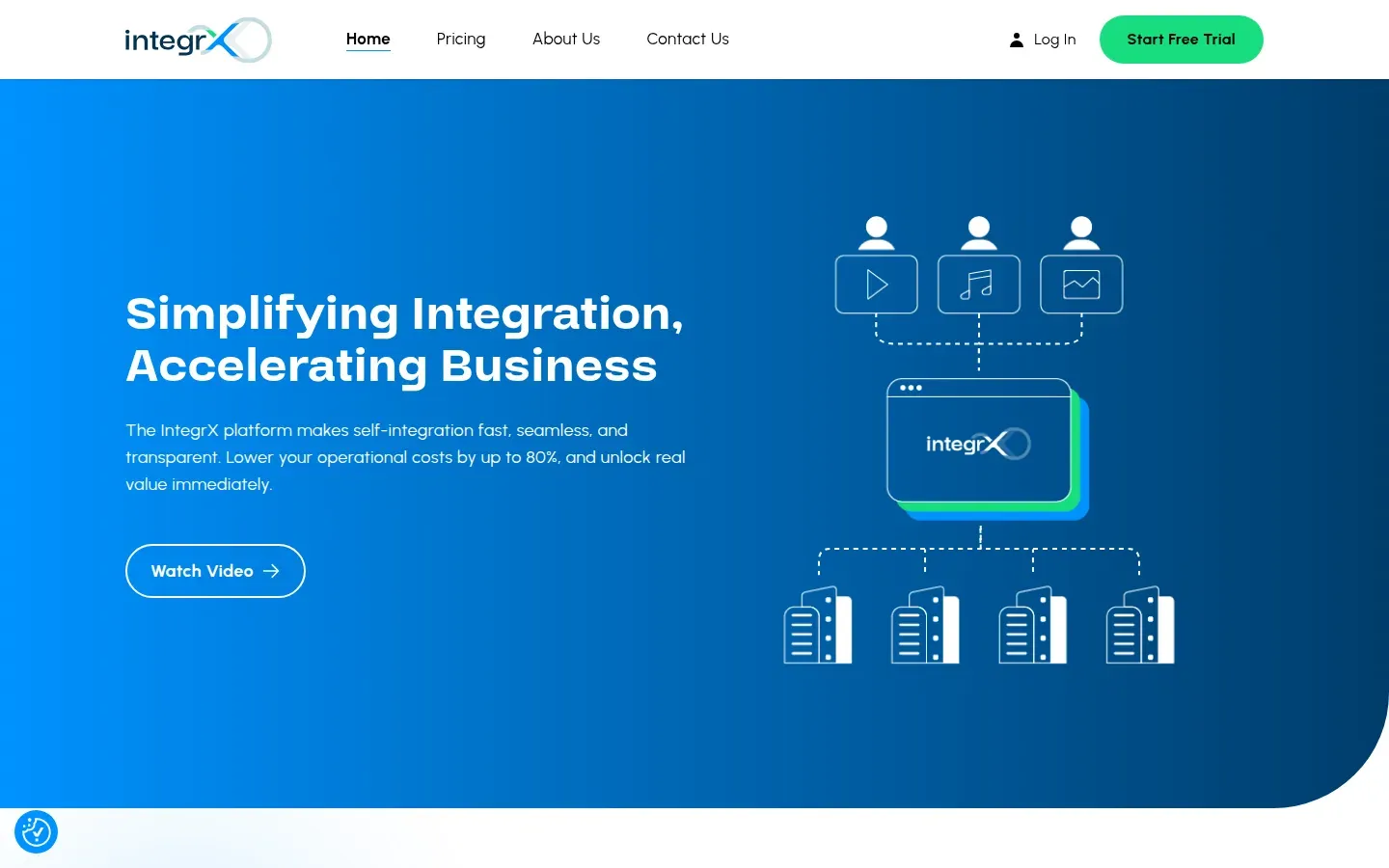
This Integrx project example is one project-specific custom WordPress implementation example. It shows a particular design and content system; it is not general proof that custom themes are faster, more accessible, more effective, or right for every site.
The strongest case for custom is not “we want something unique.” It is “we know which recurring requirements the inherited foundation cannot represent clearly, and we are prepared to own the tailored system.”
7. Practical middle paths
The choice is not limited to an unchanged theme or a fully custom build:
- Configure and curate: Keep a suitable theme, remove irrelevant options, add a small pattern set, and document the supported content.
- Use a child theme: Apply focused branding or template changes, keep the override surface visible, and test after parent updates.
- Add a targeted custom layer: Give one case-study template or campaign component its own implementation while standard pages remain inherited.
- Start from a starter theme: Establish a tailored visual system on a development foundation while retaining familiar WordPress conventions.
- Prototype first: Test one important page and one awkward edge case for editing, responsive behaviour, keyboard access, content fallbacks, assets, and updates.
Keep the boundary clear about who owns markup, data, styles, and editor controls. Theme, content model, plugins, hosting, analytics, and integrations are related but separate decisions: custom theme does not mean custom everything, and pre-built does not prevent thoughtful content structure.
8. Decision matrix
Use this matrix as a starting point for a conversation, not as an automatic scoring tool.
| If the project looks like this | Sensible starting point to investigate | Main reason to consider it | Main question to resolve |
|---|---|---|---|
| Standard pages, close visual fit, contained content, conventional editing | Pre-built theme | The inherited system may already support the site’s job | Which features and assets will actually be used and maintained? |
| Existing parent is a strong fit with a few brand or template changes | Child theme | Focused overrides can preserve a useful parent | Can the team keep the override layer small and test parent updates? |
| Distinctive design system but familiar WordPress content | Starter theme or focused custom theme | The project can own its templates without inheriting a full demo | Which shared conventions should be established before building pages? |
| Repeated custom content types and tightly bounded editor tasks | Custom theme or hybrid | Templates and editing rules can be designed around real jobs | Who owns the schema, editor UX, fallbacks, and long-term changes? |
| Editors need varied composition inside a curated visual system | Pre-built or custom theme with patterns | The editor model may matter more than the theme label | Which blocks, patterns, and settings are genuinely supported? |
| Most pages fit, but one or two high-value experiences do not | Middle path | A partial custom layer may avoid a wholesale rebuild | Where is the clean boundary between inherited and tailored code? |
| Requirements are uncertain or stakeholders disagree about priorities | Prototype before committing | Evidence can expose the real constraint | Which representative page and awkward case should be tested first? |
A practical decision rule is: preserve inherited behaviour where it helps, customise where the site’s job requires it, and do not hide a structural mismatch behind a growing list of exceptions.
Questions to answer before choosing
Website and audience
- What should a visitor understand or do, and which business or marketing outcome should that support?
- Which pages are most important to that outcome, rather than merely expected because similar sites have them?
- What must remain true on a narrow screen, with a keyboard, or when content is longer than the design example?
Content and editing
- Which content types repeat, and which relationships need to be searchable, reusable, or consistent?
- Who publishes and approves content, and should editors fill a known structure, compose from curated blocks, or do both?
- Which values are content versus layout, and what happens when fields are empty, lists grow, images are missing, or titles wrap?
Design and implementation
- Which design decisions are non-negotiable, and which can follow an existing theme’s conventions?
- Does the candidate handle focus, errors, empty content, long labels, and intermediate widths—not only its main demo?
- Which parent dependencies or custom component and responsive rules will the team need to own and document?
Quality and maintenance
- What will be measured on a representative page: assets, responsive behaviour, keyboard access, content states, and services?
- Who updates WordPress, plugins, the theme, custom blocks or fields, and hosting, and how are updates reviewed?
- Can a future maintainer identify the source of truth and the exit plan if a parent theme, plugin, starter, or custom dependency is no longer supported?
If the answers point in different directions, that is useful information. The project may need a phased release, a content-model decision, a prototype, or clearer priorities. It does not mean custom is automatically the answer.
Choose the foundation that serves the job
Choose a pre-built theme when it supports the site’s important work. Use a child theme for focused changes. Start from a starter or custom foundation when inherited assumptions obscure the design, content, or editing system. Use a middle path when only part of the experience needs tailored work.
If you want to compare those options against your site’s constraints, share the context through the contact page. The next step is a decision grounded in the website’s job—not a promise that one theme category wins every project.