When a team asks ACF vs Gutenberg, it is usually trying to choose how a custom WordPress marketing site should be edited and built—not asking which product has the longer feature list. The useful answer depends on the content model, the people who will edit it, the design boundaries, and who will maintain the implementation.
In this guide, I use ACF-first to mean a structured-field and template approach: editors enter named values in field groups, while PHP templates and components own the page composition. I use Gutenberg-first to mean a WordPress block editor approach: editors compose content with core or custom blocks, patterns, and the theme’s block settings. “Gutenberg” here means the WordPress core block editor, not automatically the separate standalone Gutenberg plugin.
They are not strict opposites. ACF Blocks can put PHP-rendered, ACF-managed blocks inside the WordPress block editor. ACF’s current documentation describes ACF Blocks as an ACF PRO feature with block.json support and InnerBlocks. In the compatibility note I reviewed on 25 August 2026, ACF also states that ACF Blocks are not compatible with the separately installed Gutenberg plugin; teams using that plugin should recheck the note against their planned versions. A hybrid can therefore use structured fields for a page’s known data, core blocks for deliberately flexible content, and ACF Blocks where a custom block needs a field-driven PHP template.
The linked documentation below supports current product and platform facts. Statements such as “I prefer” and “my default” are implementation judgment, not a benchmark or a promise about every project.
The short answer
- Start with ACF-first when the page has a known content schema, a small set of approved layouts, and editors benefit more from clear fields than from rearranging a canvas.
- Start with Gutenberg-first when editors need to compose varied pages in context, the team can curate a block vocabulary, and patterns and theme settings are part of the product.
- Choose a hybrid when a marketing site has both fixed, high-value components and areas where editors genuinely need block composition. This is often the most honest answer, provided each piece of content has one clear owner.
Neither choice is automatically better. A tightly constrained ACF template can be a poor fit when editors need to explore content arrangements. An unrestricted block editor can be a poor fit when the brief requires a repeatable brand system with very few valid layouts. The decision is about where the contract should live: in fields and templates, in blocks and patterns, or in an intentional combination.
A six-criterion comparison
| Criterion | ACF-first structured fields and templates | Gutenberg-first block editor |
|---|---|---|
| Editing UX | Focused forms and known inputs; predictable, but less like arranging the final page | Visual canvas with insertion, movement, and in-context editing; more expressive, but needs curation |
| Content structure | Named fields, field types, repeaters, and template contracts make the schema explicit | A block tree, block attributes, patterns, and post content make composition visible and extensible |
| Design control | PHP templates and component styles can keep layout rules close to the implementation | Patterns, theme.json, block supports, and locking can offer controlled freedom inside the editor |
| Extensibility | Familiar PHP and ACF field APIs; ACF Blocks can bridge fields and blocks, with PRO implications | Core block APIs, block.json, custom blocks, dynamic rendering, patterns, and theme APIs |
| Maintenance | Clear field/template ownership and Local JSON for field settings; schema and plugin coupling must be maintained | Core blocks can reduce custom surface area, but custom blocks, patterns, and theme contracts still need updates |
| Suitable project types | Structured marketing pages, repeatable campaign templates, and carefully bounded component systems | Editorial or marketing teams composing varied pages within a curated design system |
That table is a starting map, not a scorecard. The tradeoffs become clearer when each criterion is connected to the work an editor and developer will actually do.
1. Editing UX: form, canvas, or both
Where ACF-first is strong
An ACF-first editor opens a page and sees the questions the implementation needs answered: a heading, an image, a set of links, and perhaps a defined list of sections. The template decides how those values are arranged. For a team that publishes within a known page grammar, that can be easier to teach and review than a large inserter full of possible blocks.
The cost is that the editor may be completing a form rather than working directly on the rendered composition. A change to a section’s order, a new layout variant, or an exceptional campaign may require a developer to add a field, change a field group, and update the template. A very large repeater or flexible layout field can also become a page builder in disguise: it may provide freedom, but with a less visual interface and a schema that becomes difficult to explain.
My implementation view: I use ACF-first when the content questions are more stable than the page arrangements. I do not expose every CSS choice as a field merely to make a template appear flexible.
Where Gutenberg-first is strong
The block editor lets an editor see blocks in the context of the page, insert a paragraph or image where it belongs, and change the order of content without opening a separate field map. That direct manipulation can be valuable when the team needs to compose different but still supported pages.
The freedom has a cost. Editors can face too many block choices, a design can drift if the theme exposes every setting, and a visually convenient arrangement may not be a good content structure. The editor experience is therefore not “use Gutenberg and walk away”; it is a curation task involving allowed blocks, patterns, styles, instructions, and testing with real content.
WordPress describes block patterns as collections of blocks that can be inserted and then customized. The same documentation also describes synced patterns that can update their usages, so a project should decide whether a reusable section is meant to be a shared source or a starting point that editors can safely change.
My implementation view: I prefer Gutenberg-first when editing in context is a real requirement, not when a project merely wants to advertise that it uses the modern editor. A block inserter without a considered vocabulary is not a finished editing UX.
Where the hybrid helps
An ACF Block can give an editor a visual block placement while keeping a component’s data and rendering close to a PHP template. Core blocks or nested blocks can handle content where composition is intentional. That can be a useful boundary for a hero, testimonial, pricing card, or integration section that has a defined visual shell but needs selected editor-controlled content.
The tradeoff is another interface to teach. A hybrid must make it obvious which values belong in the ACF fields, which belong in nested blocks, and which are fixed by the template. If the same heading or image can be edited in two places, the hybrid has created confusion rather than flexibility.
2. Content structure: schema or block tree
ACF-first puts the schema in fields and templates
A field group can make content types explicit: a campaign page may have a required title, an optional eyebrow, a hero image, a call to action, and a repeatable set of approved sections. The template can give each field a semantic role and provide fallbacks for missing values. Relationships, taxonomies, and global settings can also be modelled as data rather than as arbitrary fragments of page markup.
That explicitness is valuable when the same content needs consistent rendering, querying, validation, or handoff. It also creates coupling. Field names, return formats, nested layouts, and template assumptions become an internal API. Changing a field is not only an editor change; it may require updates to rendering, tests, documentation, imports, and any integrations that read the data.
ACF’s Local JSON documentation says that, in current ACF releases, field groups, post types, taxonomies, and options pages can be saved as JSON in a theme, where they can be versioned and synchronized. That is useful for keeping the field definition with the implementation. It versions the architecture and settings, not a substitute for a separate plan to migrate the site’s editorial content.
My implementation view: I want an ACF field to represent a meaningful content decision. If it only exists to let an editor adjust a one-off spacing value or choose between untested layouts, it is probably the wrong abstraction.
Gutenberg puts composition in blocks
In a Gutenberg-first site, the block tree is part of the page’s content. A paragraph, image, heading, group, custom block, or pattern can represent a piece of that composition. Core blocks provide a familiar foundation, while custom blocks can introduce project-specific structures without moving every page decision into a post type or field group.
The tradeoff is that a block tree can be as disciplined or as improvised as the project makes it. A page assembled only from generic groups and spacers may be harder to reason about than a named component. A custom block has its own attributes, registration, rendering, editor behavior, and compatibility concerns.
WordPress’s block.json documentation describes a standard way to describe block metadata, assets, attributes, supports, and optional dynamic rendering. That gives a custom block a platform-shaped contract, but it does not remove the need to define the content model or maintain the block when its attributes change.
Patterns help bridge structure and composition: a curated pattern can encode a known section while leaving selected text or media editable. I still decide whether a pattern is synced and shared across its uses, or unsynced so that an inserted copy can be changed independently. Those choices affect both the editor’s expectations and the future content migration.
The key structure question
Ask where the site’s meaning should be easiest to inspect:
- If a developer should be able to see “hero title, hero image, primary link, and testimonial items” as a named schema, ACF-first may be clearer.
- If an editor should be able to see “this heading, these paragraphs, this media, and this callout in this order” as a visible page composition, Gutenberg-first may be clearer.
- If both are true, define the boundary rather than pretending one representation can do every job.
3. Design control: guardrails versus composition
ACF-first keeps more control in the template
With structured fields, the PHP template can own the HTML shape, component order, responsive rules, and design-system choices. Editors can change the content without being asked to make layout decisions the project has not designed or tested. This is useful for a brand-sensitive marketing site with a small number of approved section types.
The corresponding tradeoff is slower self-service for a genuinely new composition. A developer may need to add a field or a new template path before an editor can use a new design. That is not automatically a flaw: it can be the intended governance model. It becomes a problem when the team expects campaign-level iteration without a development queue.
Gutenberg-first makes the design system part of the editor
A block theme or custom theme can expose selected settings and styles through theme.json. Patterns can package a visual arrangement, and block supports can provide consistent controls for the settings the theme has chosen to allow. This can give editors room to compose while keeping colors, typography, spacing, and layout closer to the design system than a completely open canvas would.
WordPress’s documentation on patterns and block locking describes controls for disabling movement, preventing removal, preventing insertion, and applying content-only editing. It also distinguishes block-level and template-level locking and documents scope and supported container types. Locking is therefore a curation tool, not a universal guarantee that every editing path or permission behaves identically.
My implementation view: I treat each exposed block setting as a support commitment. If a color, alignment, or layout option has not been designed across the site’s content and responsive states, I would rather not expose it simply because the editor can technically offer it.
A hybrid can fix the wrong problem
A hybrid can lock a component’s outer shell while allowing meaningful text and media edits inside it, or it can let core blocks live between ACF-managed sections. That is powerful when the project has a clear division between fixed visual systems and composable content.
It can also become a negotiation between two competing sources of layout truth. Before choosing it, write down which layer owns the section order, the spacing, the media crop, and the accessibility requirements. “The editor can change it” and “the template guarantees it” cannot both be true for the same decision without an explicit rule.
4. Extensibility: PHP familiarity or native block APIs
ACF-first extends a familiar WordPress development model
An ACF-first build can use field groups, PHP templates, WordPress hooks, and existing theme conventions. A team already comfortable with PHP can add a structured field and render it in a component without building a separate editor-side application for every section.
ACF Blocks extend that model into the editor. The official ACF Blocks documentation describes a PHP-based framework, block.json registration, live previews, and InnerBlocks. It also notes that ACF Blocks are available in ACF PRO. This is a meaningful option when the project wants block placement but the team wants PHP to remain central to block rendering.
The cost is dependency depth. ACF field APIs and field definitions become part of the implementation, and a team that later wants to remove ACF or replace a field-driven component has to map those contracts. ACF Blocks can reduce the amount of custom editor JavaScript for a block, but they do not make the site’s whole editor, build, or accessibility surface maintenance-free.
Gutenberg-first extends the platform’s block model
A Gutenberg-first site can extend core blocks with custom blocks, block.json, editor controls, server-side rendering, patterns, and theme APIs. This can make the implementation align closely with the editor’s native concepts, especially when the site’s content is meant to remain block content.
A custom block may still need JavaScript, a build process, editor-specific UI, a PHP render path, or all of those depending on the behavior. Its attributes and saved content become a contract that needs compatibility planning. Native APIs are not a promise that a custom block will remain correct without tests when WordPress, a theme, or an editor expectation changes.
My implementation view: I choose the extension model the future maintainer can inspect. A technically elegant native block is not a win if the team cannot support its editor code; a field-driven PHP component is not a win if editors need freeform block composition that it cannot provide.
5. Maintenance, licensing, and migration
The biggest long-term mistake is evaluating the initial build while leaving the exit path undefined. Both approaches can be maintained well. Both can accumulate opaque contracts when the team treats the editor or plugin as a shortcut instead of part of the architecture.
ACF-first maintenance
An ACF-first implementation needs a map of field groups to templates and a process for changing them. I would document required fields, return formats, nested layouts, fallback behavior, and which templates consume each group. ACF Local JSON can keep those definitions reviewable in version control, but it does not automatically validate every content change or make a template independent of its field names.
ACF itself has free and PRO editions. As reviewed on 25 August 2026, the current ACF PRO feature overview identifies ACF Blocks, Repeater, and Flexible Content as PRO features. Basic ACF usage does not mean every project needs PRO, and not every ACF-first implementation needs those features. If the proposed architecture depends on one of them, I would record the required edition, who manages the account and renewals, the applicable update and support terms, the update path, and the replacement plan as project dependencies rather than hiding them in implementation detail.
A future migration away from ACF is possible, but it is not a switch. The team may need to map field values to block content or another schema, rewrite templates, preserve media and relationships, and test the rendered output. The exact effort depends on how much meaning was kept in named fields versus buried in flexible layouts or template-specific assumptions.
Gutenberg-first maintenance
A Gutenberg-first implementation needs a register of custom blocks, patterns, theme settings, allowed blocks, and locking rules. Core blocks can give a site a platform-maintained foundation, but a custom block still depends on its name, attributes, render behavior, styles, and editor interface. A theme change can also alter the appearance of existing content even when the block data itself is still present.
Patterns deserve a deliberate maintenance policy. An unsynced pattern used as a starting point has different consequences from a synced pattern whose edits are shared. Pattern and block behavior also changes with WordPress and theme capabilities, so I verify the supported WordPress range rather than relying on a remembered version detail.
A future migration to ACF may require parsing or manually mapping the block tree into field values. Freeform blocks, custom block attributes, embeds, synced content, and nested compositions may not have a clean one-to-one field representation. I would identify the content that must remain portable before replacing a block-first model with fields.
Hybrid maintenance
A hybrid needs the clearest ownership rules because it has more than one representation. For example, a page could keep campaign metadata and a fixed hero in ACF fields while using Gutenberg blocks for the long-form body. That can be coherent if the title, image, and call to action are not also duplicated inside the body as competing values.
I would keep a small architecture record answering:
- Which content is stored in fields, and which is stored as blocks?
- Which template or block owns the final markup for each component?
- Which ACF features and edition are required?
- Which patterns are copied, and which are shared?
- What happens if a plugin, theme, or custom block is replaced?
- How will existing content be exported and tested during a migration?
No architecture choice supplies a universal performance result. Asset loading, query work, rendered markup, content volume, hosting, and the rest of the theme still matter. I would measure a real representative page if performance is part of the decision instead of using “ACF” or “Gutenberg” as a proxy for speed.
6. Suitable project types and practical scenarios
A structured campaign system
Suppose a marketing team publishes pages from a small set of known campaign sections: hero, proof points, feature rows, testimonials, and a call to action. Editors need to update copy and media, while the layout should remain consistent across campaigns.
An ACF-first model is a reasonable starting point because the content questions are known and the template can keep the page grammar explicit. The tradeoff is that a new campaign arrangement may need development work. A Gutenberg-first model could work too, but only if the team is willing to build and maintain patterns, block restrictions, and design guardrails rather than exposing an unbounded canvas.
An editorial marketing team with varied pages
Suppose editors publish landing pages, announcements, guides, and event pages whose sections change frequently. They want to see the page while editing and reuse arrangements without requesting a new template for every variation.
Gutenberg-first is worth considering because block composition and patterns match that editing task. The project still needs an allowed vocabulary, sensible defaults, and a plan for old blocks when the design system changes. An ACF-first model may remain appropriate for page-level metadata or highly structured content types, so “Gutenberg-first” does not rule out ACF elsewhere.
A branded component library with nested content
Suppose the site has a distinctive set of components that should render through PHP templates, but editors need to place those components among core blocks and sometimes nest supported blocks inside them.
A hybrid or ACF Blocks approach may fit. ACF Blocks can use InnerBlocks and block.json while remaining connected to ACF fields, but the team should confirm the ACF PRO dependency and the supported WordPress/editor versions. The unresolved question is not whether the tools can technically combine; it is whether the boundary will be understandable to editors and maintainers.
An existing site with a migration pressure
If the project already has substantial ACF content, switching to Gutenberg only because the block editor is current may create an avoidable content migration. If it already has a healthy block library, replacing it with flexible fields may create the opposite problem.
I would first inventory the existing content and identify what must remain editable, searchable, reusable, and portable. A new architecture should earn its migration cost through a clear improvement in editing or maintenance—not through a universal claim about one tool.
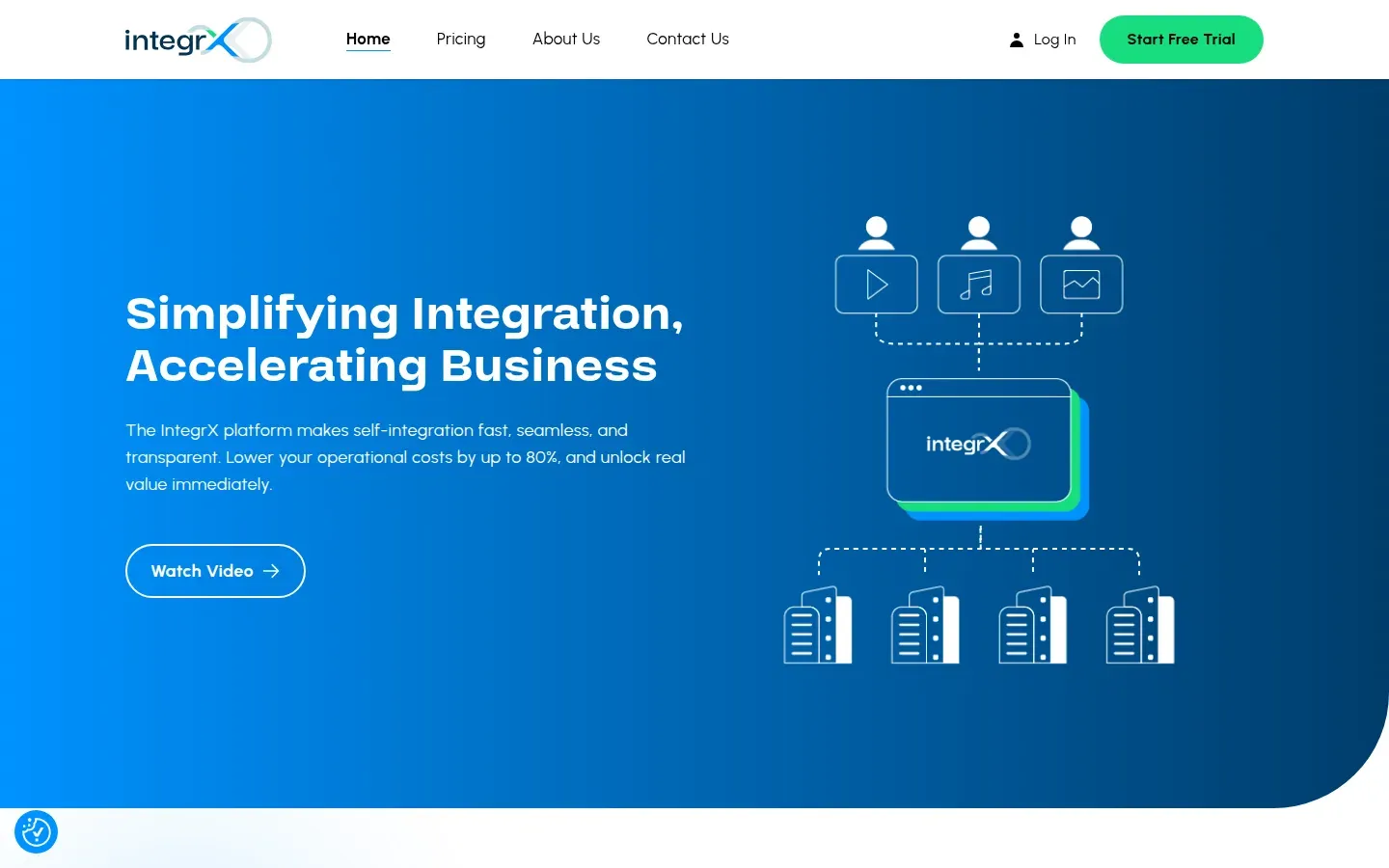
This Integrx image is a public ACF-managed custom WordPress implementation reference. It is not proof that ACF universally wins and it is not a benchmark; it shows one project-specific architecture and visual result.
For context on the wider implementation work around content modelling, templates, and editor boundaries, see my custom WordPress development service and the Figma-to-WordPress workflow guide. Those pages answer different questions: this guide is about architecture selection, while the Figma guide is about implementation workflow.
A concise selection framework
I use these questions before choosing a default:
- Describe the editor’s main task. Are they filling a known brief, or composing a page from supported parts?
- List the invariants. Which layout, hierarchy, media ratio, or accessibility rules must remain true?
- Choose one source of truth. Decide whether each value lives in a field, a block, a pattern, or code.
- Name the maintenance owner. Who can change a field group, block, pattern, theme setting, or template six months after launch?
- Check dependencies. Confirm WordPress support, ACF edition, custom block tooling, plugin updates, and the team’s skills.
- Test the exit path. Take one representative page and describe how its content would be exported or rebuilt if the chosen layer disappeared.
A practical interpretation is:
- Pick ACF-first if the schema and layout are stable, editor guardrails matter most, and PHP/template ownership is available.
- Pick Gutenberg-first if in-context composition is central, content variety is expected, and the team will invest in block and pattern curation.
- Pick hybrid if the site has both fixed structured components and genuinely composable content, and you can state the boundary without duplicating data.
If the answers split evenly, I would prototype one representative page and one awkward edge case—such as a long heading, an optional section, or a layout outside the supplied design—then review the editing flow and migration map. That is evidence for this project, not a benchmark for every WordPress site.
Discovery questions before I choose
Content and editors
- Who will edit the site, how often, and with what level of WordPress experience?
- Do editors need to see the final composition while changing it, or is a structured form clearer for their work?
- Which content types repeat across pages, and which are intentionally one-off?
- Does content need to be queried, reused, translated, exported, or consumed by another interface?
- What should happen when a field is empty, a list grows, or copy is much longer than the design example?
Design and governance
- Which parts of the page may editors rearrange, and which must remain fixed?
- Are the permitted layouts represented by patterns, field layouts, custom blocks, or templates?
- Which typography, spacing, color, media, and responsive controls should be exposed?
- Would block locking or content-only editing improve the experience, and what are its documented scope and permission caveats?
- Who approves a new component or a change to the design system?
Technical and long-term
- Is the site using the WordPress core block editor or explicitly the standalone Gutenberg plugin?
- Which WordPress and PHP versions must be supported, and which theme architecture is planned?
- Does the build require ACF Blocks, Repeater, or Flexible Content, and has the ACF edition and license owner been confirmed?
- Who owns updates to ACF, WordPress, custom blocks, patterns,
theme.json, and templates? - What is the migration plan if the current theme, plugin, or content architecture is replaced?
If those questions do not yet have answers, the decision is not ready—not because ACF or Gutenberg has failed, but because the project constraints are still unresolved. The next useful step is to document the editing tasks and content boundaries before selecting a tool.
Start with discovery
Start with discovery, not an assumed tool choice. If you want a second opinion on the content model, editor workflow, design guardrails, or migration risk, contact me with the constraints you already know. I can help compare ACF-first, Gutenberg-first, and hybrid options before implementation begins.