Action buried in the page
- —The phone number scrolls out of view
- —A booking destination competes with the page content
- —The contact section is hard to reach from a long service page
Use ButtonFlow when a local-business visitor should have one clear next step while reading on a phone. This guide keeps the site-wide CTA focused, mobile-only, and matched to the action shared by the pages where it appears.
A service-page visitor may be ready to call, book, message, or reach a contact section before they reach the footer. ButtonFlow keeps the selected action available on the phone viewport without adding it to desktop layouts.
ButtonFlow v1.2.0 keeps one site-wide action choice in Settings → ButtonFlow. Choose the destination that serves the included pages, then exclude pages where that CTA is not appropriate.
Use an international phone number when the visitor should call the business. ButtonFlow turns the tap into a tel link for the configured number.
Send the visitor to a booking page, menu, quote form, or other destination that already has its own next step.
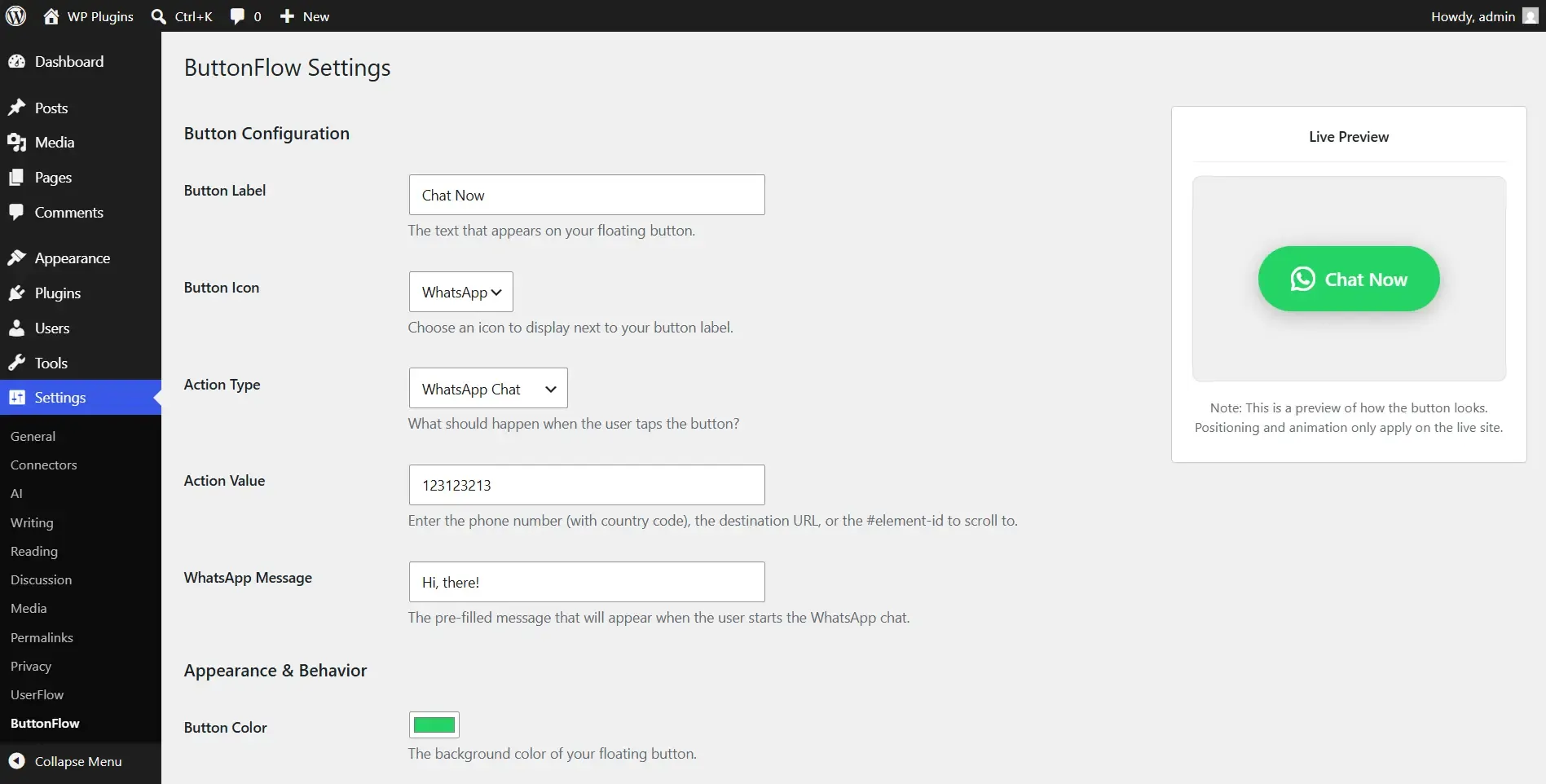
Enter the business number in international format and optionally add a pre-filled message. ButtonFlow opens the corresponding wa.me destination.
Point the button at an element ID such as contact when the form or enquiry details already live on the same page.
These are alternative site-wide configurations, not actions that run simultaneously. Choose one, then use page exclusions where it should not appear.
Action: Phone Call. Value: +12025550147. Label: Call the clinic. ButtonFlow follows tel:+12025550147 when a mobile visitor taps the button.
Action: Open URL. Value: https://example.com/book/. Label: Book a table. Use the page that contains the actual reservation flow.
Action: WhatsApp Chat. Number: +12025550147. Pre-filled message: Hi, I would like to ask about this property.
Action: Scroll to Element. Target ID: contact. Add contact to the form section's element ID, then use the same value in ButtonFlow.
ButtonFlow v1.2.0 is mobile-only and renders the button at the mobile-only boundary (<=767px). It does not add the CTA to desktop widths.
Settings → ButtonFlow provides Phone Call, Open URL, WhatsApp Chat, and Scroll to Element. Choose one site-wide action for the included pages, then exclude pages where it does not fit.
Use the number in international format. Phone Call uses a tel link, while WhatsApp Chat opens a wa.me destination and can include an optional pre-filled message.
Yes. ButtonFlow provides controls for the label, icon, colors, Small, Medium, or Large size choice, and show delay.
Yes. Add the page IDs or slugs that should be excluded in ButtonFlow's page exclusion controls, then test both an included and an excluded page.
Review the plugin features, requirements, and other implementation guides, or install it directly from WordPress.org.